

Market order
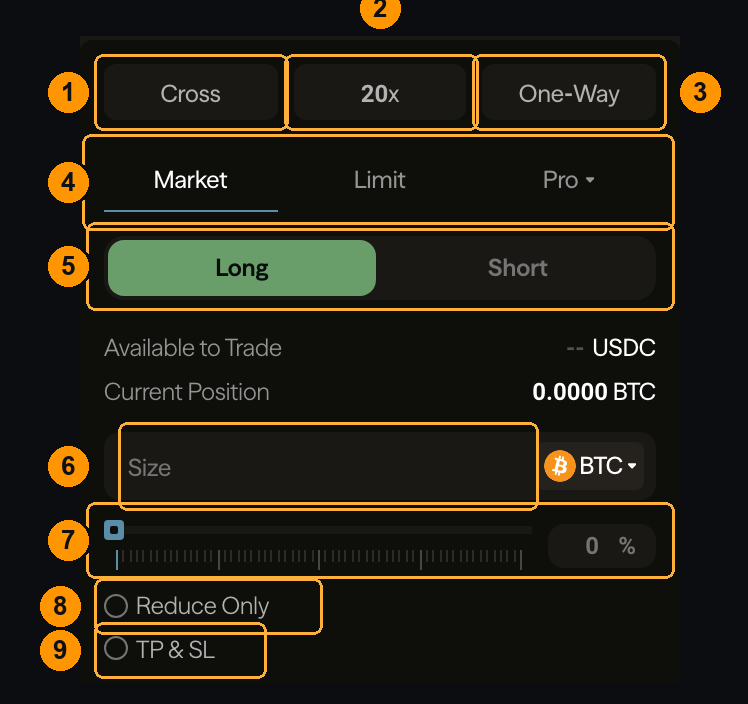
Cross shares collateral across all your positions; Isolated confines a position to the margin you assign it. Cross is more capital-efficient and lets one bad position pull down the others; isolated caps the damage at what you allocated. See Margin modes.
2 — Leverage. The multiplier applied to your collateral. Higher leverage means a smaller adverse move reaches your liquidation price. Set this before sizing — it changes what a given size costs in margin. See Leverage.
3 — Position mode. One-Way means one net position per market. The alternative lets long and short exist side by side.
4 — Order type. Market executes now against resting liquidity. Limit rests at a price you choose. Pro holds the advanced types — TWAP, scale orders, and conditional orders.
5 — Direction. Long profits if the price rises, Short if it falls.
6 — Size. How much to trade, in the asset or in USDC — use the selector on the right to switch which unit you are typing.
7 — Percentage slider. Size as a share of your maximum. Quicker than typing, and it respects your leverage and available collateral.
8 — Reduce Only. The order can only shrink an existing position, never open or flip one. Use it whenever you intend to close — it is the safeguard against a closing order accidentally opening the opposite side. See Reduce-only.
9 — TP & SL. Attach a take-profit and stop-loss at the moment you open. See TP/SL.
Limit order
ChoosingLimit adds two controls.
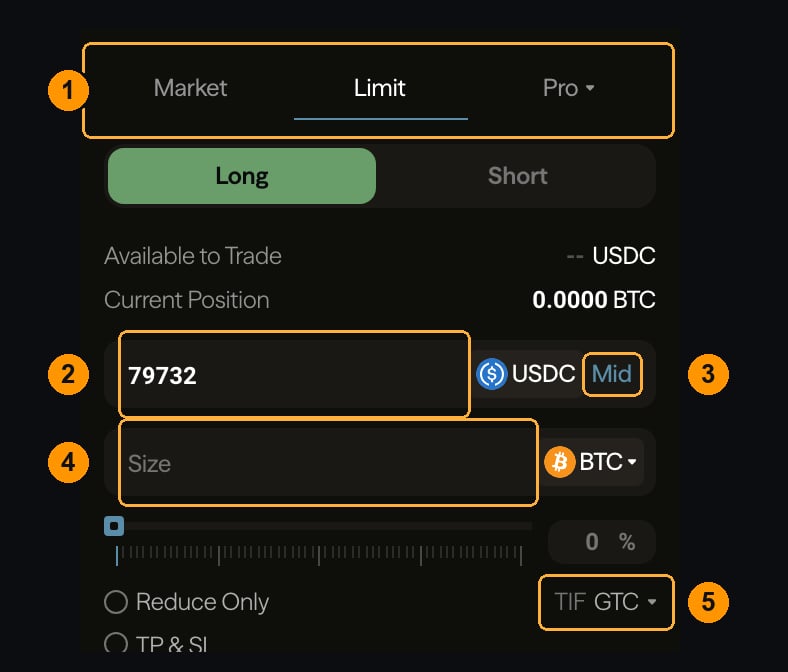
Limit.
2 — Price. Where your order rests. A buy below the current price waits for the market to come down to it; a buy above the current price crosses immediately and pays the taker rate.
3 — Mid. Fills the price field with the current mid-market price.
4 — Size. As before.
5 — Time in force. What happens if the order does not fill immediately:
ALO is how you guarantee the maker rate. A limit order is not automatically a maker order — if it crosses on placement it takes liquidity and pays the taker fee. ALO refuses to fill rather than cross. See Order types.
Read this before you sign
Below the submit button is the cost of the order you have configured.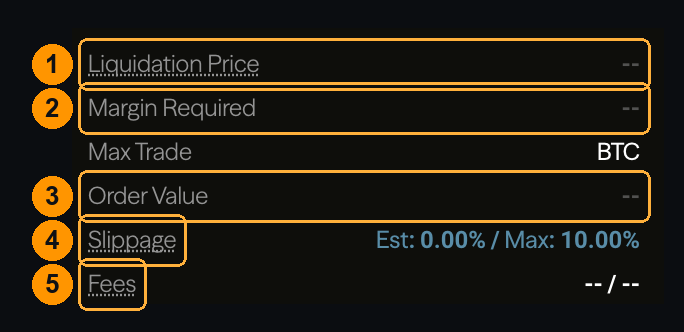
Where to go next
Your first trade
These controls used end to end.
Order types
The full type list, including the Pro tab.
Order rejected
Why an order did not make it onto the book.
Leverage
How leverage sets your liquidation distance.